


Follow these steps to diagnose your clinical station's network capability for high-quality TytoCare video visits.
1. Initiation
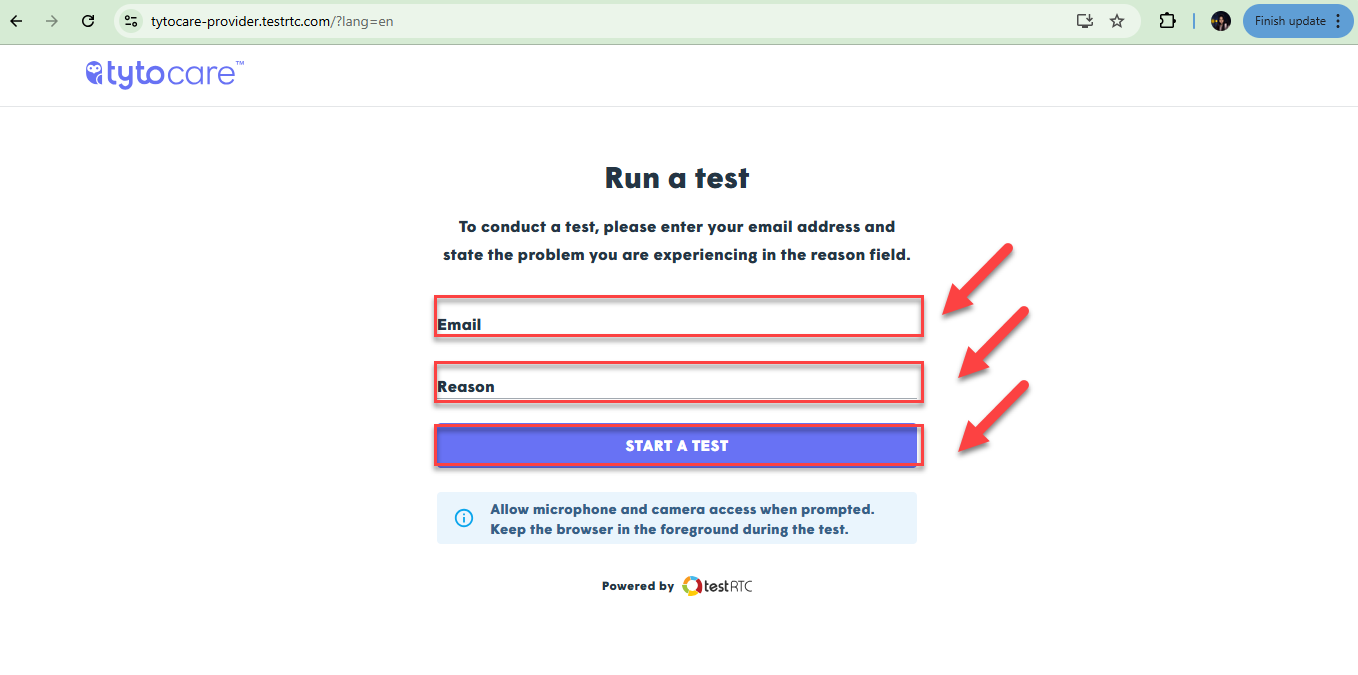
To begin, navigate to the TytoCare Provider Network Test page.
Enter your professional email address, provide a brief description of the service issue you are experiencing, and click "Start."
2. Permissions
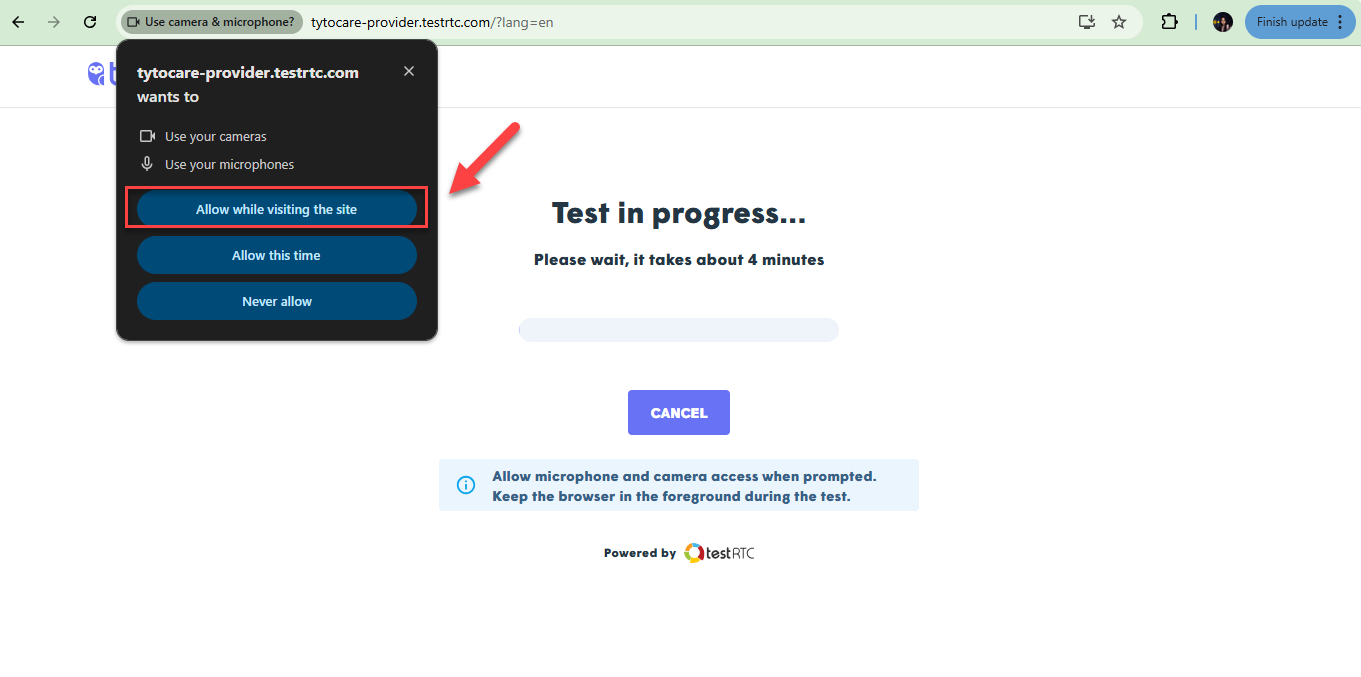
When initiating the test for the first time, your browser will prompt you for access. Click "Allow" to grant permission for your camera and microphone to proceed with the connectivity analysis.
3. Results & Sharing
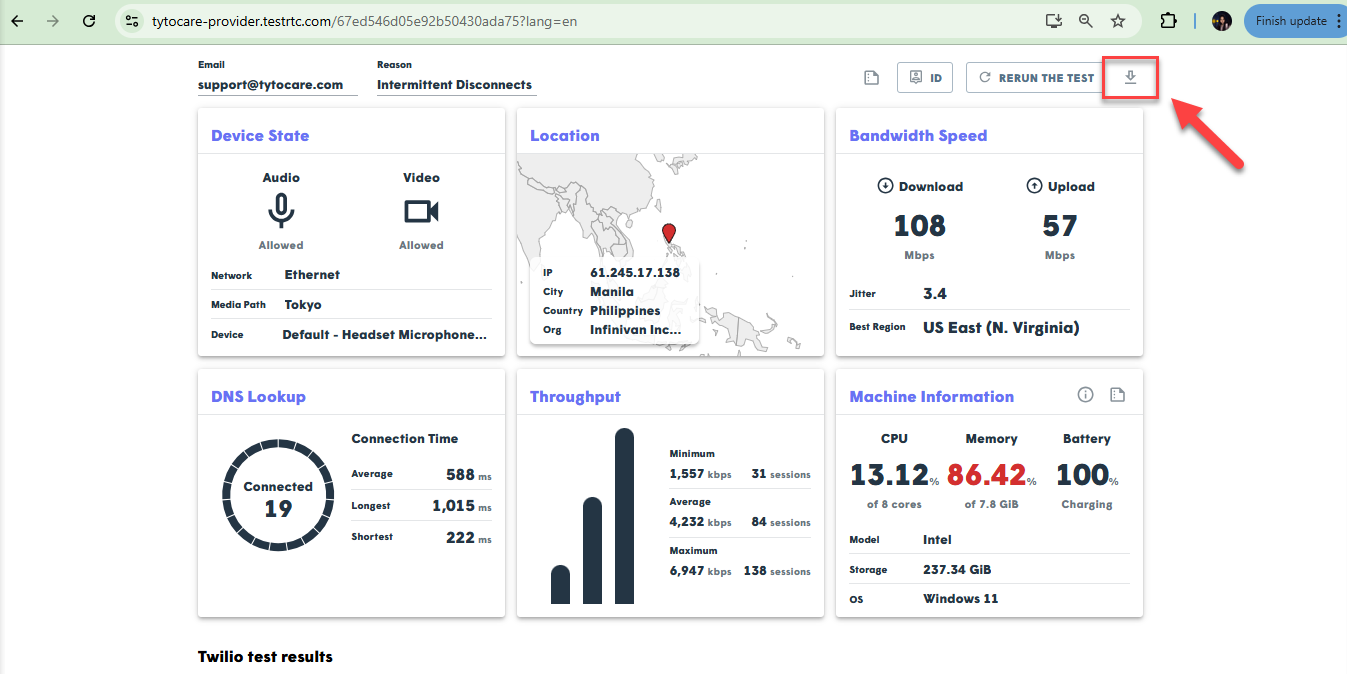
After completing the test, you will receive a summary of your connection quality. You can capture a screenshot or click the PDF icon to download the full results for your records or to share with IT Support.
Data Collected & Analyzed
| Video Quality Metrics | Video Bandwidth |
| DNS LookUp | Bandwidth Speed |
| Location | Turn Connectivity |

