


Note: If you are associated with a specific healthcare provider or organization, please contact them directly for guidance on adding family members to your TytoHome patient list.
You can add new family members to your TytoHome patient list at any time. Adding them in advance ensures you are ready to proceed immediately when someone needs an exam. You can add profiles either through the menu or during the start of a visit.
Option 1: Adding a Patient in Advance
Use these steps to set up your family profiles before an urgent need arises.
-
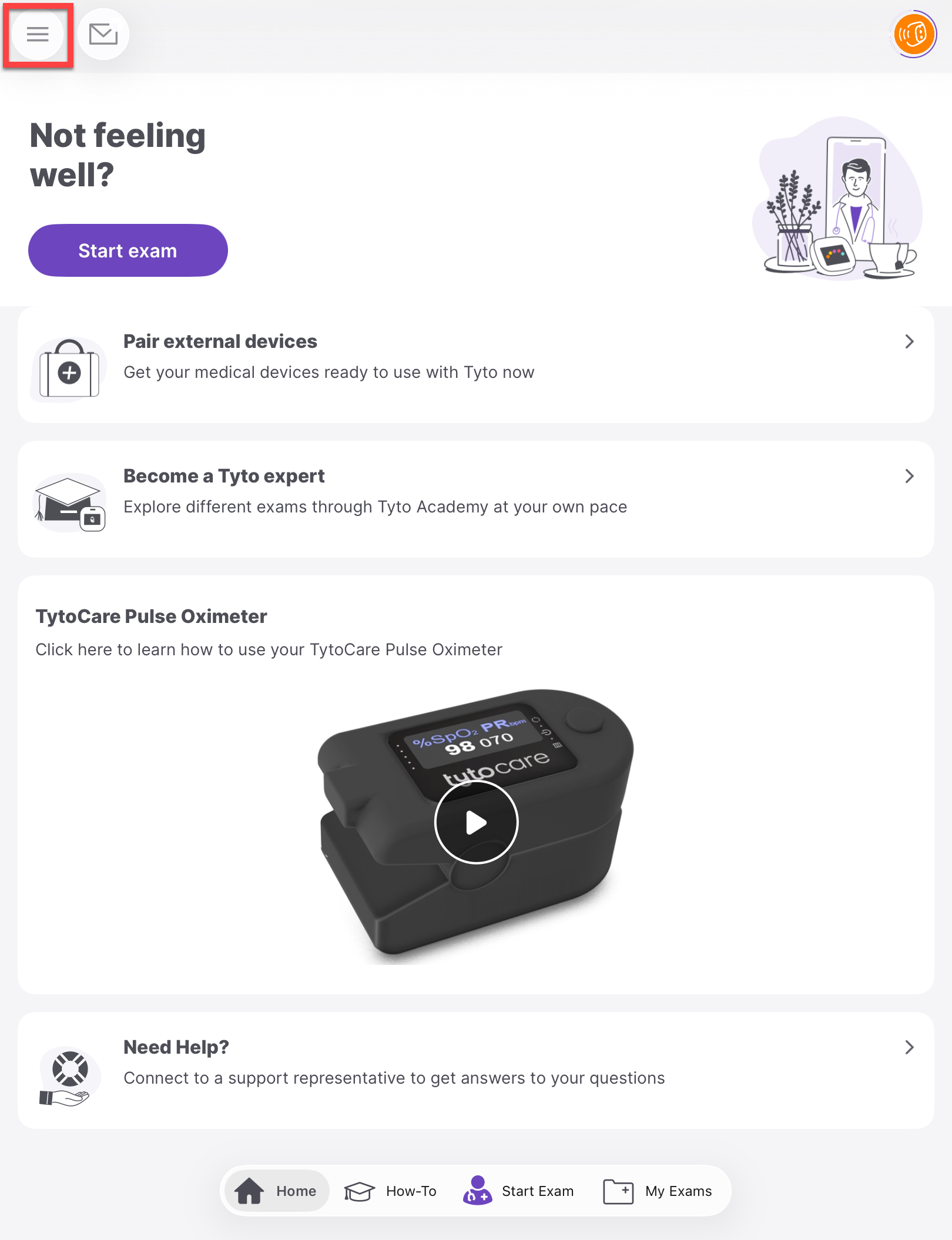
Open the Menu: Tap the menu icon in the top-left corner of the TytoCare App.
-
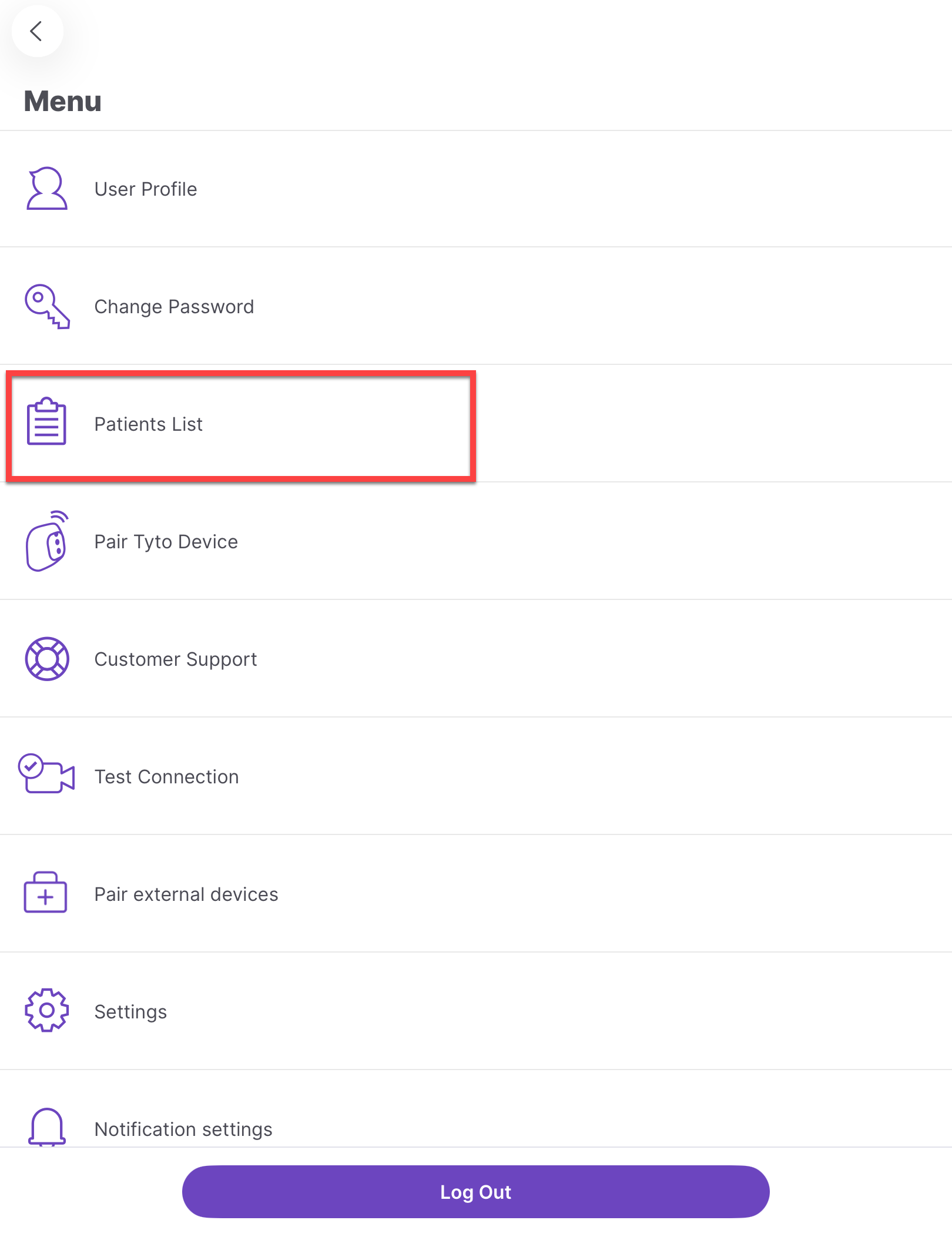
Navigate to Patient List: Select "Patient List" from the menu sidebar.
-
Initiate Add: Scroll to the bottom of the list and tap “Add a Patient”.
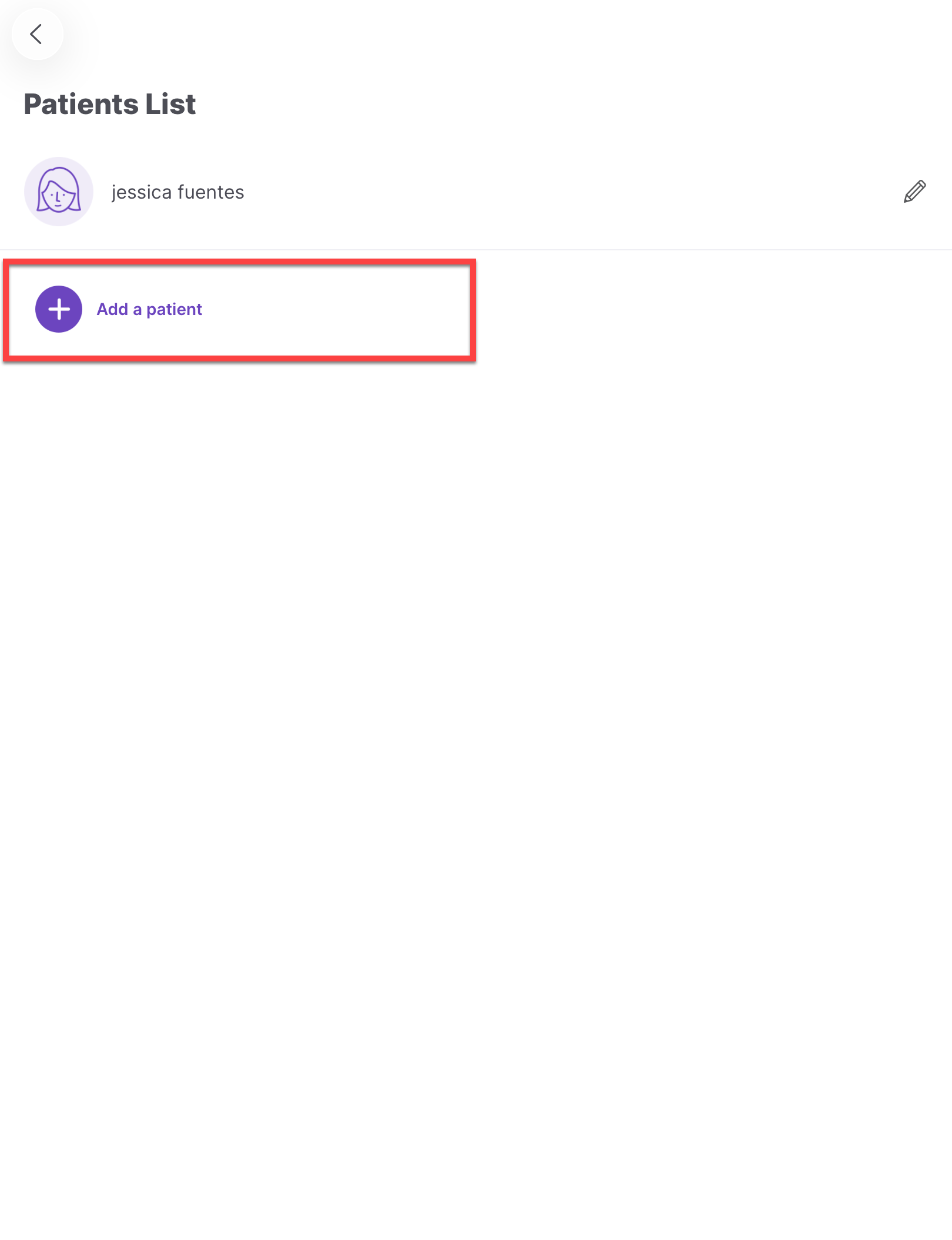
- Save Information: Enter the family member's required details and tap Save. These profiles will now be available for future exams.
Option 2: Adding a Patient During a Visit
Use this method if you are starting an exam for a family member not yet in the system.
-
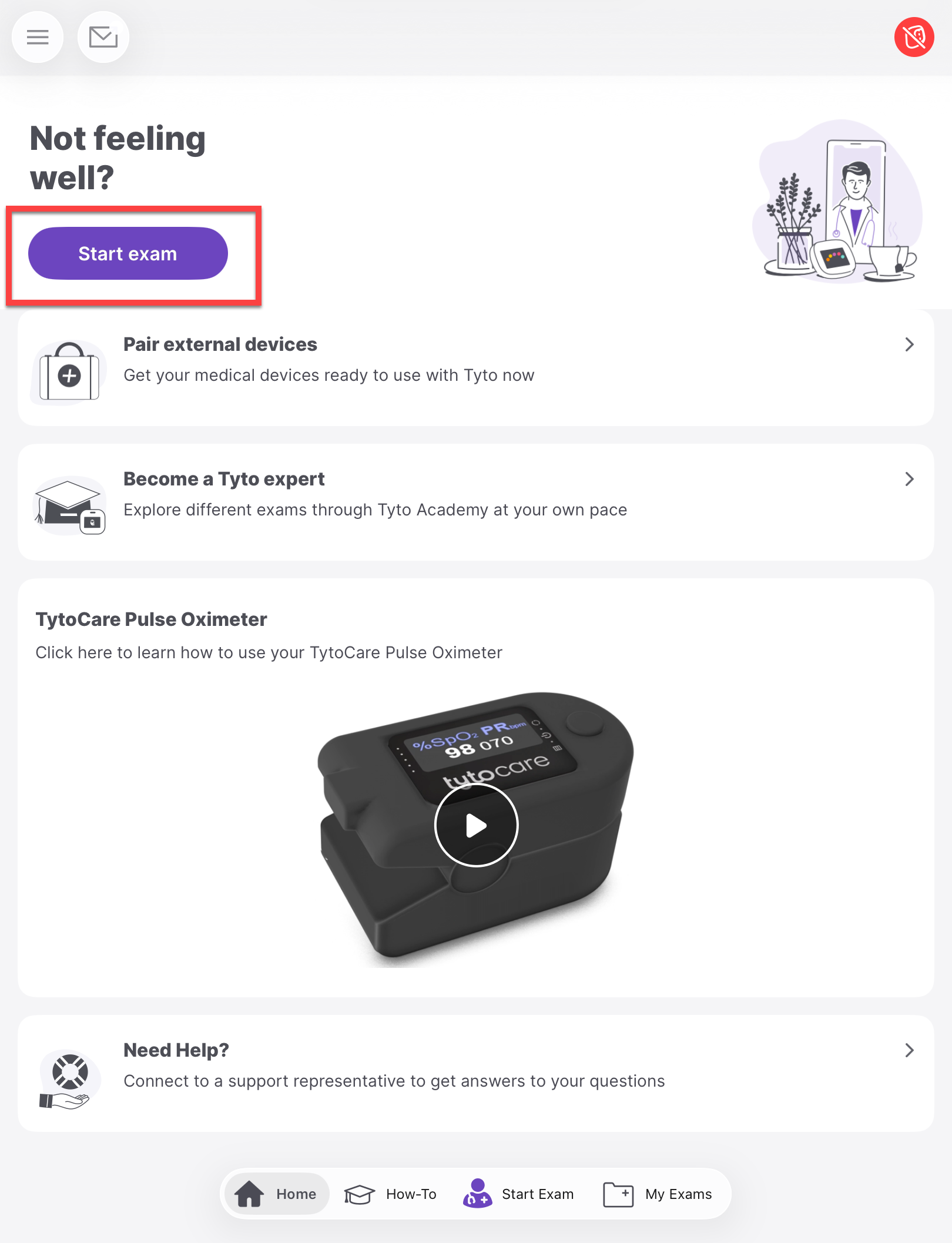
Start an Exam: On the app home screen, tap “Start”.
-
Add New Profile: At the bottom of the "Select Patient" screen, tap “Add a Patient”.
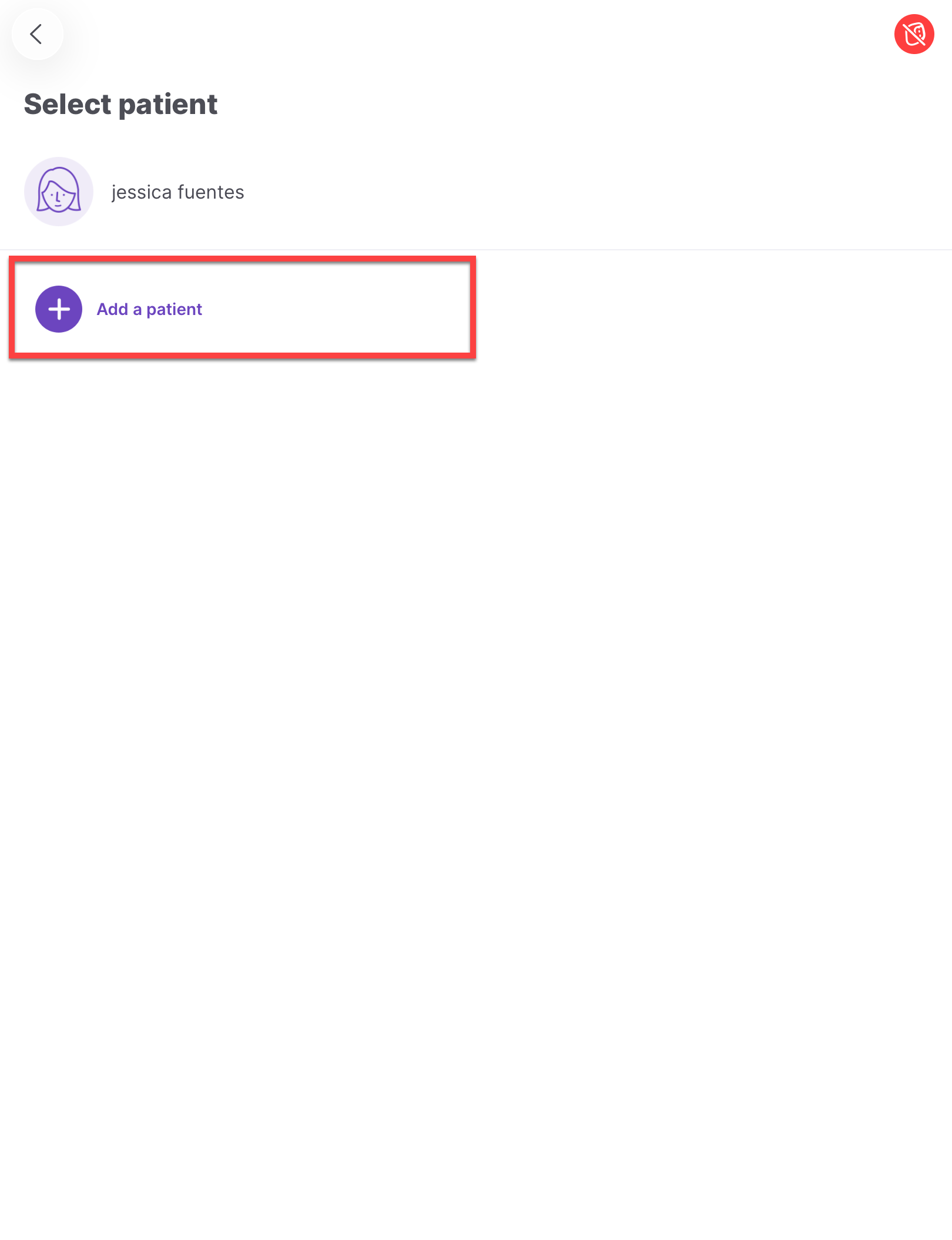
- Enter Details & Proceed: Fill in the information for the person taking the exam and tap Save.
- Selection: You will be returned to the Patient List. Select the newly created profile and begin the exam as usual.
Requirements for Dependents Over 18
- Individual Accounts: Family members over 18 years of age must create their own unique user accounts to remain eligible for telehealth services.
- Device Sharing: Adult dependents can continue to use the same TytoHome Device with their personal accounts.

