


Symptom
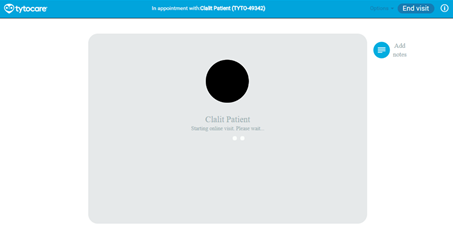
When starting a visit from the Clinician Station, there is a very long wait time, or the video feed from the patient displays a black screen.
Possible Cause
The TytoCare App permissions required on the patient's mobile device are not enabled or were denied during installation. This prevents the app from transmitting video and audio.
Suggested Solution
Please instruct the patient (or Point of Care user) to check and enable the following permissions on their mobile device:
For Patients using iOS Devices (iPhone/iPad):
Ask the patient to go to Settings > TytoCare and ensure the following toggles are ON:
- Location: Set to "While Using"
- Bluetooth: On
- Local Network: On
- Microphone: On
- Camera: On
- Notifications: Allow
- Background App Refresh: On
- Cellular Data: On
For Patients using Android Devices:
Ask the patient to go to Settings > Apps > TytoCare > Permissions and ensure the following are Allowed:
- Camera: On
- Location: On
- Microphone: On
If the issue persists after the patient has adjusted these settings, please advise them to force close the app and try connecting again, or contact TytoCare support at 1-866-971-8986 (Option 2).

