


This knowledge article will provide you steps to perform a Throat Exam with your TytoHome device.
To watch this on YouTube just press CTRL on your keyboard and click on the YouTube logo on the lower right part of the window at the same time.
Throat Exam Steps
- Select Exam: Select the Throat exam icon on the Tyto Device.
- Recording Setup: Press Start to begin recording and follow the instructions to place the device in your mouth with the camera facing toward the back of your throat. Aim for a clear visualization of the throat and tonsils.
- Using the Tongue Depressor: If you have trouble visualizing the tonsils, attach the Tongue Depressor tool to the device.
- Capture: Once you see the correct image on the screen, press Stop to end the recording and then press Done to finish.
- Confirmation: When you return to the main screen, a check mark will appear next to the throat exam indicating it has been captured.
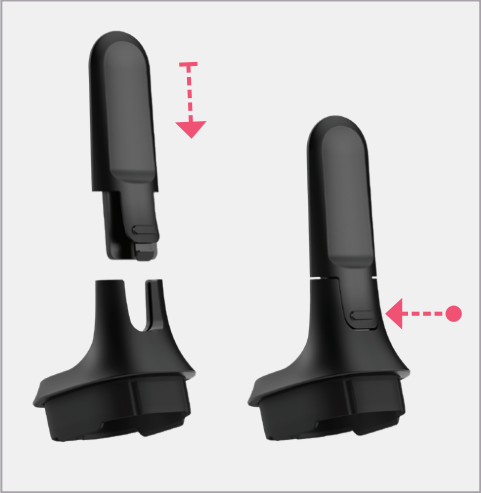
Attaching the Tongue Depressor for better visualization.

