Follow these steps if the TytoCare app crashes immediately or repeatedly upon launching it on your Apple device.
Symptom
Upon launching the TytoCare App on your iPhone or iPad, the application closes immediately and returns you to the home screen. This typically happens if there was an error during the initial automatic download from the App Store.
Resolution Steps
Step 1: Completely Remove the App
Press and hold the TytoCare app icon on your home screen. Tap the "X" or "Remove App" and confirm deletion to clear the corrupted local data.
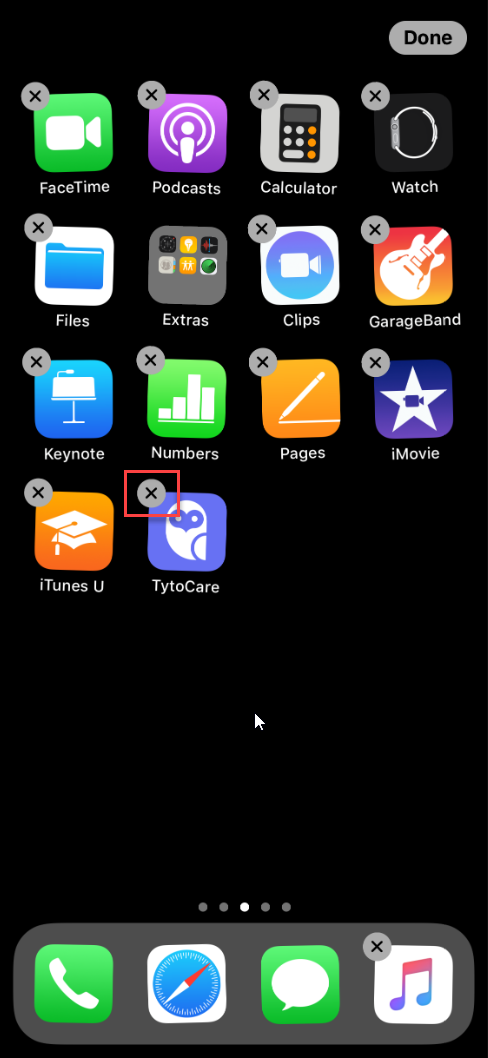
Step 2: Perform a Fresh Reinstallation
Go to the App Store, search for "TytoCare", and tap the download icon to install a clean version of the app.
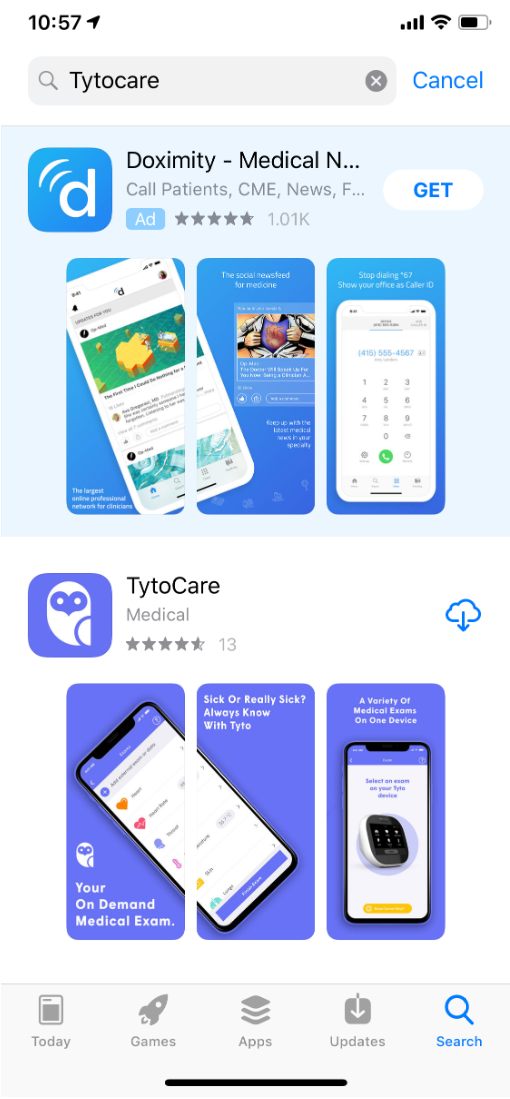
Step 3: Launch and Log In
Open the newly installed app and log in using your Tyto Username and Password. The app should now remain open and stable.